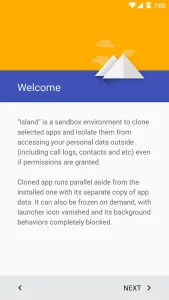
Island serves as a sophisticated sandbox environment designed to enhance privacy and productivity on Android devices. By leveraging the built-in work profile framework, this utility allows users to isolate sensitive applications from the rest of the system. It effectively creates a digital boundary that prevents cross-app data tracking while ensuring that personal information remains strictly separated from work-related or high-risk software. This approach provides a seamless way to manage multiple identities and secure your digital footprint without compromising device performance.

Island
Oasis Feng
Download
3.36 MB
Island Screenshots
1 / 3
3.36 MB
Size
6.4.2
Version
7+
Android
Universal
Arch
About Island
Island serves as a sophisticated sandbox environment designed to enhance privacy and productivity on Android devices. By leveraging the built-in work profile framework, this utility allows users to isolate sensitive applications from the rest of the system. It effectively creates a digital boundary that prevents cross-app data tracking while ensuring that personal information remains strictly separated from work-related or high-risk software. This approach provides a seamless way to manage multiple identities and secure your digital footprint without compromising device performance.
Advanced Privacy Isolation
This tool excels at creating a walled garden for your most sensitive data. By moving specific programs into a restricted space, you prevent them from accessing your private photos, contacts, or location data stored in the main profile. This is particularly useful for social media platforms known for aggressive data collection practices. It ensures that your primary device environment remains clean and untouched by the background activities of third-party services, giving you total control over what information is shared.
Parallel Account Management
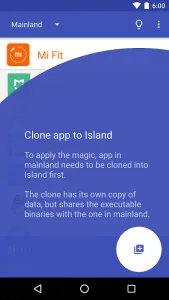
Managing multiple social media or gaming accounts simultaneously becomes effortless through its cloning capabilities. You can run two instances of the same program side-by-side, each with its own independent data and login credentials. This eliminates the constant need to log in and out when switching between professional and personal profiles. It is an ideal solution for power users who need to maintain distinct digital personas on a single handheld device without the hassle of using multiple phones.
Background Activity Control
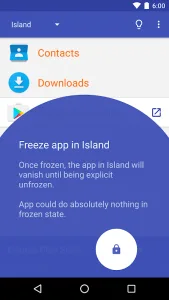
To preserve battery life and system resources, this solution provides a robust freezing mechanism. When an entry is frozen, its background processes are completely halted, preventing it from consuming RAM or sending unauthorized notifications. This is perfect for heavy apps that you only use occasionally but do not want to uninstall completely. Once you need them again, they can be defrosted instantly to resume their full functionality without any data loss or the need for a re-installation.
Strategic App Hiding
Beyond simple isolation, the service allows users to hide specific software from the main launcher entirely. This adds an extra layer of security for banking tools or private communication platforms that you prefer to keep out of sight from prying eyes. By tucking these icons away within the managed profile, you ensure that your home screen remains organized and your private habits remain confidential. It provides peace of mind when lending your phone to others or navigating through public spaces.
Granular VPN Routing
One of the most powerful features of Island is its ability to handle network traffic differently across profiles. You can choose to run a VPN exclusively within the isolated space while keeping the main profile on a standard connection, or even use different VPN providers for each side. This level of control is essential for bypassing regional restrictions in one area while maintaining local network speeds in another. It offers a sophisticated networking setup that was previously difficult to achieve on standard mobile operating systems.
Safe Uninstallation Process
Removing this utility requires a specific sequence to ensure that all managed profiles and data are cleared correctly from the system. Users should navigate to the scoped settings within the interface to destroy the isolated environment before deleting the main launcher icon. If the software has already been removed, the work profile must be manually deleted through the system account settings. Following these steps ensures that your device storage is fully reclaimed and no residual profile data remains on the hardware.
Frequently Asked Questions
Yes, it utilizes the native Android work profile framework to ensure security and stability. It provides a legitimate way to enhance privacy and manage app permissions without requiring root access or risky system modifications.
Most applications can be cloned, though some may have specific restrictions based on their internal security policies. It works exceptionally well with social media, messaging, and utility software that requires separate login credentials for different accounts.
To uninstall it completely, go to Settings, then Scoped Settings, and select Destroy Island. If you have already deleted the app, you must manually remove the Work Profile from your device’s account settings to clear all data.
Additional APP Information
Package Name
com.oasisfeng.island
Developer
Oasis Feng
Category
Signature
e1baa9c1572ce733d202b2d0d76df2c06d03c332
Get it On

You are now ready to download Island for free. Here are some notes:
- Please read our APK Info and installation instructions carefully for the game & app to work properly
- Read the FAQ carefully for more details
4.6/5 (8 votes)